

High ping, unstable connections, and sudden lag can make online gaming frustrating. Even when a game runs smoothly on your computer or console, network delays can affect competitive matches, multiplayer sessions, and cross-region gameplay. GearUP Booster is designed to address some of these problems by optimizing the network routes used by supported games.
But does GearUP Booster actually help, and is it worth paying for? The answer depends on your internet connection, the games you play, your location, and whether network routing is the main cause of your lag.
In this GearUP Booster review, we examine its features, supported platforms, potential benefits, subscription considerations, limitations, and alternatives. The goal is to help you decide whether the service is worth trying before committing to a paid plan.
What Is GearUP Booster?
GearUP Booster is a gaming network optimization service developed by GearUp Portal Pte. Ltd. It aims to improve connection stability and reduce problems such as high ping, packet loss, jitter, and unstable cross-region connections.
Unlike a graphics optimizer that focuses on frame rates or visual settings, GearUP concentrates on the network connection between your gaming device and the game server. Its purpose is to find more suitable routes for supported gaming traffic when the normal connection path is inefficient or congested.
The company offers solutions for Windows computers and mobile devices, alongside router-based options for compatible consoles and other gaming platforms. Availability and setup requirements depend on the product you choose.
How Does GearUP Booster Work?
GearUP describes its technology as Adaptive Intelligent Routing (AIR). The service aims to route supported gaming traffic through optimized network paths rather than relying entirely on the default route provided by your internet service provider.
For example, suppose your normal connection to a multiplayer server passes through a congested network route. An alternative route may reduce the delay or instability experienced during gameplay. If your existing route is already efficient, however, switching routes may provide little improvement or could even make the connection worse.
Several network measurements are important when evaluating a gaming booster:
- Ping: The time required for data to travel between your device and a server and back. Lower ping can make online interactions feel more responsive.
- Packet loss: The percentage of data packets that fail to reach their destination. Packet loss can contribute to rubber-banding, missed actions, and connection instability.
- Jitter: Variation in packet arrival times. High jitter can make gameplay inconsistent even when average ping appears reasonable.
- Connection stability: How consistently your device communicates with the game server during a session.
GearUP is intended to improve these network conditions where routing is a contributing factor. It does not guarantee lower ping in every game or eliminate problems caused by weak Wi-Fi, overloaded hardware, server outages, or an unreliable internet connection.
Key Features of GearUP Booster
1. Network Optimization for Online Games
The main feature is its ability to optimize network routing for supported games. This may be useful for players who experience inconsistent connections or high latency despite having a reasonably fast internet plan.
However, internet speed and gaming latency are different measurements. A faster download speed does not automatically produce lower ping, and a routing service cannot eliminate every source of delay.
2. Support for Multiple Gaming Platforms
GearUP provides different solutions for Windows, mobile devices, and selected console setups. Its website lists popular games across several platforms, including competitive shooters, multiplayer battle games, and other online titles.
The supported game list can change, and compatibility may differ between products. Check the official GearUP website before downloading to confirm that your game, operating system, and device are supported.
3. Game-Specific Optimization
Network requirements can differ between games. A competitive shooter may be particularly sensitive to latency and packet loss, while other games may be more affected by server performance or loading times.
GearUP offers game-focused optimization rather than a universal promise that every application will become faster. Results should be evaluated separately for each game you play.
4. Ping Testing
GearUP promotes a ping-testing feature that helps users examine their connection before deciding whether to use the service. This can be useful when comparing your normal connection with an optimized route.
For a meaningful comparison, test the same game server under similar conditions. Record your baseline ping, packet loss, and jitter, then repeat the measurements with GearUP enabled. A single test is not enough to establish consistent improvement.
5. Mobile Gaming Support
GearUP also offers a mobile game booster for supported Android and iOS devices. This gives mobile players another option for addressing network-related issues in compatible games.
Mobile performance can vary considerably depending on whether you use Wi-Fi or cellular data, the strength of your signal, network congestion, and your distance from the game server. A booster is unlikely to solve every problem caused by poor signal coverage.
6. Router-Based Gaming Solutions
GearUP offers router-based options, including its HYPEREV hardware product and related console boosting features. These are intended to support compatible consoles and other gaming devices through an optimized network connection.
Hardware-based solutions have different setup and subscription requirements from the software applications. Before purchasing a device, confirm compatibility, whether a separate membership is required, and the total ongoing cost.
Is GearUP Booster Free?
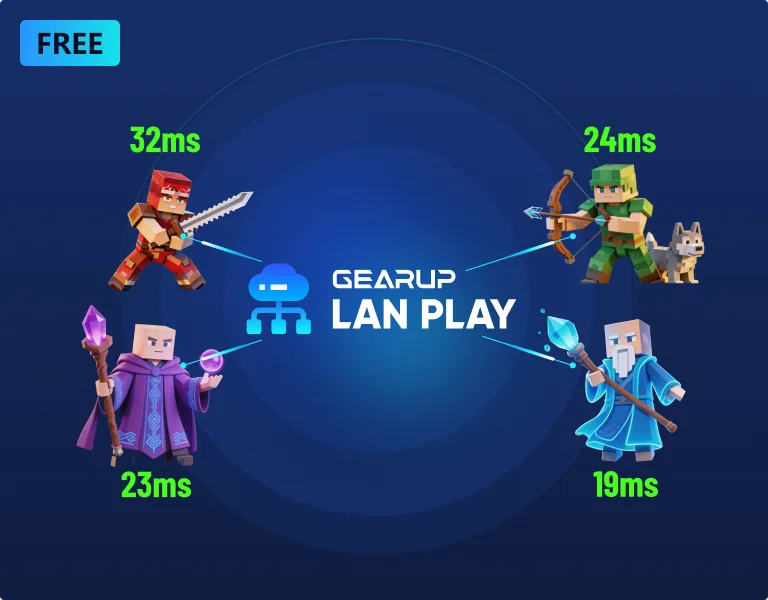
GearUP advertises a free trial, allowing eligible users to try the service before committing to a subscription. The exact trial duration, available features, and subscription price can depend on the platform, region, and offer presented during registration.
The important point is that a free trial may transition into a paid subscription. GearUP’s user agreement explains that billing can begin when the trial ends unless the membership is cancelled beforehand. Subscriptions may automatically renew until cancelled.
Before activating a trial, check the following details:
- The length of the free trial.
- The price that applies after the trial ends.
- The subscription billing frequency.
- The renewal date and cancellation procedure.
- Whether purchases are eligible for refunds under the applicable terms.
You can review the company’s official user agreement and check the terms displayed in your account or app store before subscribing.
Because prices and promotional offers can change, it is better to rely on the current checkout information than on an older price quoted elsewhere.
Pros and Cons of GearUP Booster
Pros
- Focuses on network performance: Targets routing, latency, packet loss, and jitter rather than graphics settings.
- Multiple platform options: Offers solutions for compatible PCs, mobile devices, and selected console setups.
- Supports many games: The official website lists thousands of supported games, although compatibility varies by platform.
- Trial availability: Eligible users can test the service before deciding whether to pay.
- Useful diagnostic potential: Comparing network measurements before and after activation can help determine whether the service benefits a particular connection.
Cons
- Results vary: Users with already efficient routes may notice little or no improvement.
- Recurring subscription costs: Continued access may require a paid membership.
- Automatic renewal: Users must monitor trial expiry and subscription renewal dates.
- Not a complete internet fix: It cannot guarantee a solution to weak Wi-Fi, ISP outages, overloaded game servers, or hardware problems.
- Platform-specific limitations: Features and setup requirements differ across Windows, mobile, and console products.
Does GearUP Booster Actually Reduce Ping?
GearUP is designed to reduce ping when inefficient routing contributes to the delay between your device and the game server. In those circumstances, an optimized route may improve responsiveness or connection consistency.
However, there is no universal reduction that every user should expect. Your results depend on your location, internet provider, destination server, existing network route, and the condition of the wider network.
If your ping is primarily caused by physical distance to the server, a poorly performing game server, or local Wi-Fi interference, the improvement may be limited. Some routes may not benefit from optimization at all.
A practical way to assess the service is to test it under repeatable conditions:
- Choose a game and server that you regularly use.
- Record your usual ping, packet loss, and jitter without GearUP.
- Activate GearUP and repeat the test using the same server.
- Repeat the comparison at different times to account for network fluctuations.
- Decide whether the improvement is consistent enough to justify the subscription cost.
This method is more useful than relying solely on promotional claims or a single unusually good match.
Is GearUP Booster Safe and Legit?
GearUP identifies GearUp Portal Pte. Ltd. as the company behind its services and publishes a user agreement covering software, subscriptions, payments, and refunds. The official website also provides product information and support resources.
These are useful indicators when evaluating the legitimacy of a software provider, but they do not guarantee that every user will experience the same results or that every product will suit every setup.
Download the software through the official website or the relevant official app store. Review the permissions requested by the application, read the privacy policy, and avoid downloading installers from unfamiliar third-party sources.
For subscription purchases, keep your receipt and note the cancellation deadline. The user agreement states that purchases are generally final and non-refundable except where specific terms or applicable law provide otherwise. The rules can differ by product and location.

GearUP Booster Alternatives
If GearUP does not improve your connection or does not fit your budget, consider these alternatives and troubleshooting options.
1. ExitLag
ExitLag is a gaming network optimization service that focuses on routing and connection stability. Compare its supported games, pricing, trial terms, and measured performance against GearUP before choosing a subscription.
2. WTFast
WTFast is another service associated with optimizing network routes for online gaming. Availability, supported games, and subscription conditions should be checked on its official website.
3. Improve Your Existing Network
You may not need another subscription if the problem is caused by your home network. Try connecting your PC or console directly to your router with Ethernet, reducing background downloads, restarting networking equipment, and checking for packet loss.
If the problem continues, compare performance across different game servers and contact your internet provider. These steps can help identify whether the cause is your local connection, ISP routing, or the game server itself.
Who Should Consider GearUP Booster?
GearUP may be worth testing if you play supported online games and regularly experience high ping, jitter, packet loss, or inconsistent cross-region connections. It may also appeal to players who want to compare optimized routing with their existing connection before choosing a long-term solution.
It may be less useful if your connection is already stable, your main problem is low frame rates, or your lag comes from hardware limitations rather than networking. Players who rarely experience connection problems may also find it difficult to justify a recurring fee.
Final Verdict: Is GearUP Booster Worth It?
GearUP Booster is a gaming network optimization service designed to address connection problems that can interfere with online gaming. Its multi-platform options, supported-game selection, and trial availability make it worth considering for players who experience persistent network-related lag.
Its main limitation is that routing optimization cannot guarantee a better connection in every situation. The service may help when your normal route is inefficient, but it cannot eliminate all causes of high ping, packet loss, or instability.
Our recommendation is to test GearUP with a game and server where you regularly experience problems. Compare connection measurements before and after activation, check the subscription terms carefully, and continue paying only if the improvement is consistent and meaningful for your gaming needs.
Ultimately, GearUP Booster is best viewed as a potential networking tool rather than a guaranteed fix for every gaming performance issue.
Frequently Asked Questions
1. What does GearUP Booster do?
GearUP aims to optimize network routing for supported games to help reduce latency, packet loss, jitter, and connection instability.
2. Is GearUP Booster free?
GearUP advertises a free trial for eligible users. Continued use may require a paid subscription, so check the trial duration and renewal price before registering.
3. Does GearUP Booster work on PC and mobile?
GearUP offers separate solutions for Windows and supported mobile devices, as well as router-based options for selected consoles and gaming platforms.
4. Can GearUP reduce ping in every game?
No. Results depend on your network route, internet provider, server location, and other conditions. Some users may see little or no improvement.
5. Does GearUP Booster increase FPS?
GearUP focuses on network connectivity rather than graphics performance. It is not designed to directly increase frame rates or improve hardware rendering performance.
6. Does GearUP Booster automatically renew?
Paid memberships may renew automatically unless cancelled. Review the terms displayed when subscribing and cancel before the renewal deadline if you do not want to continue.
7. Is GearUP Booster worth paying for?
It may be worthwhile if it consistently improves network performance in your games. Test it first and compare the results with the subscription cost before committing.